How to Turn a Photo Into a Botanical Portrait
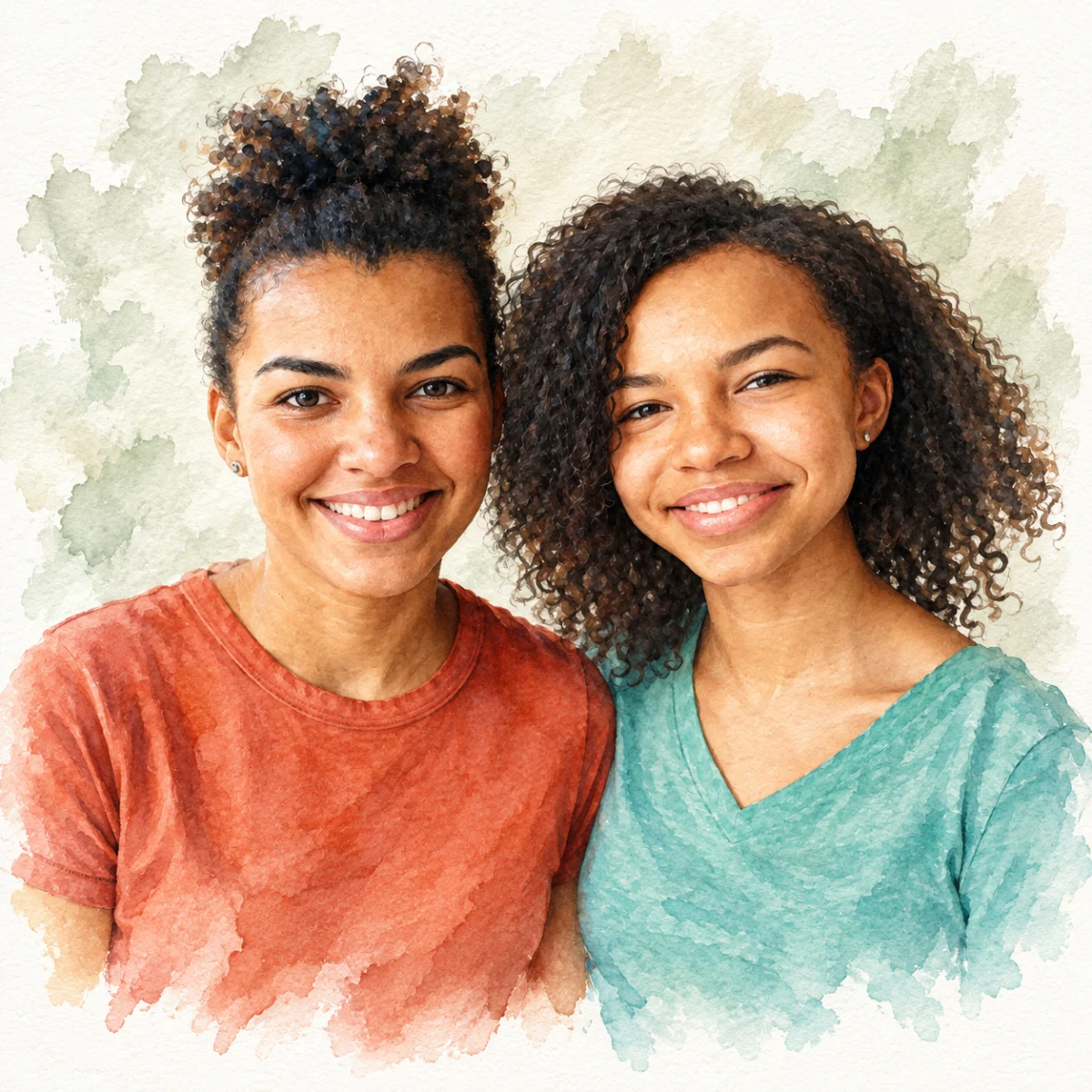

Create a romantic, flower-framed portrait using PhotoCardMagic's Watercolor style.
Free preview No account needed Order when you love it
Create a romantic, flower-framed portrait using PhotoCardMagic's Watercolor style. This walkthrough shows how to upload a photo, generate the watercolor botanical render, and print it as a card or framed wall piece.
By PhotoCardMagic Editorial Team · Last updated
At a glance
- Preview
- Free to try
- Steps
- 5 steps
- You'll need
- 3 items
- Skill level
- Beginner-friendly
- Cost to try
- Free · no signup
Before you start
- ✓ A clear portrait photo
- ✓ An email address
- ✓ A romantic or feminine gifting context (typical but not required)
Expected outcome: A watercolor portrait framed by hand-painted botanicals, ready to print.
Steps
-
1
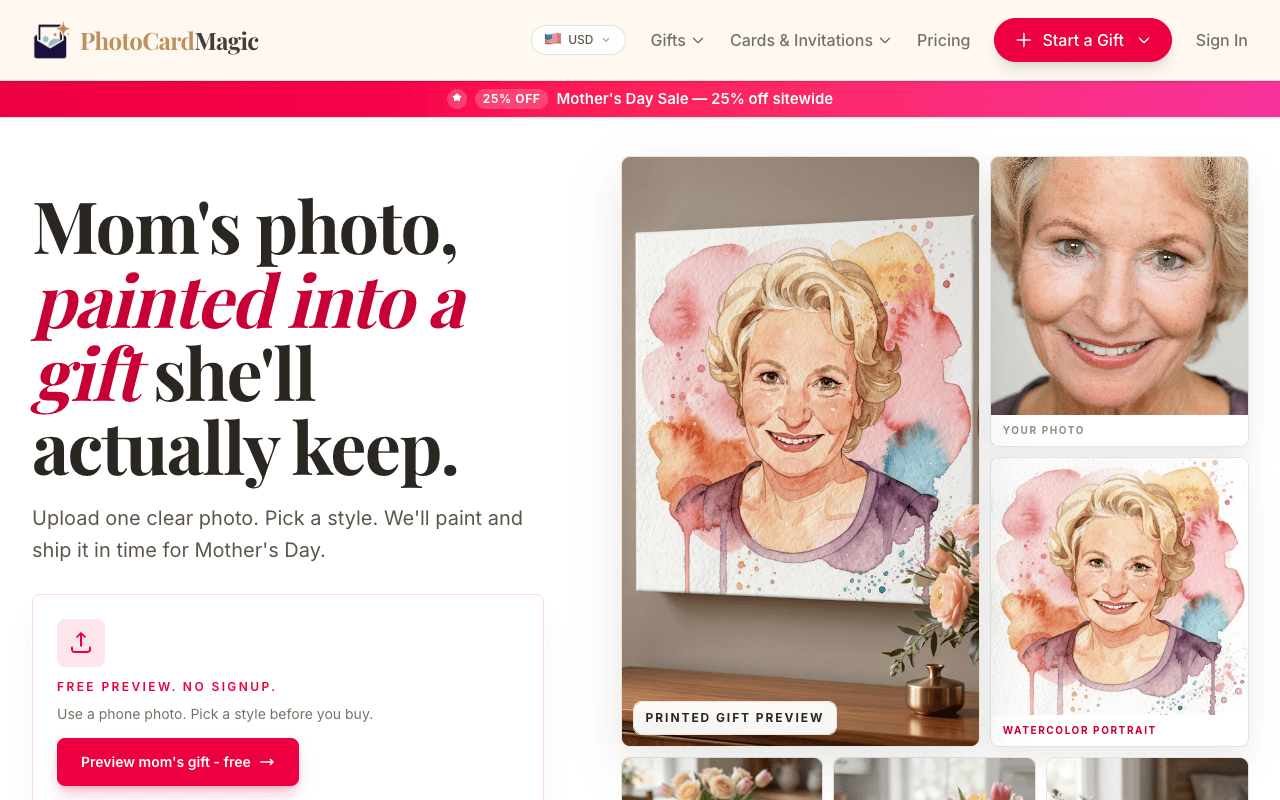
Pick the photo and upload it
Watercolor surrounds the subject with a frame of hand-painted flowers, so portraits with open space around the head work well. Drop your file into the PhotoCardMagic upload panel.
-
2
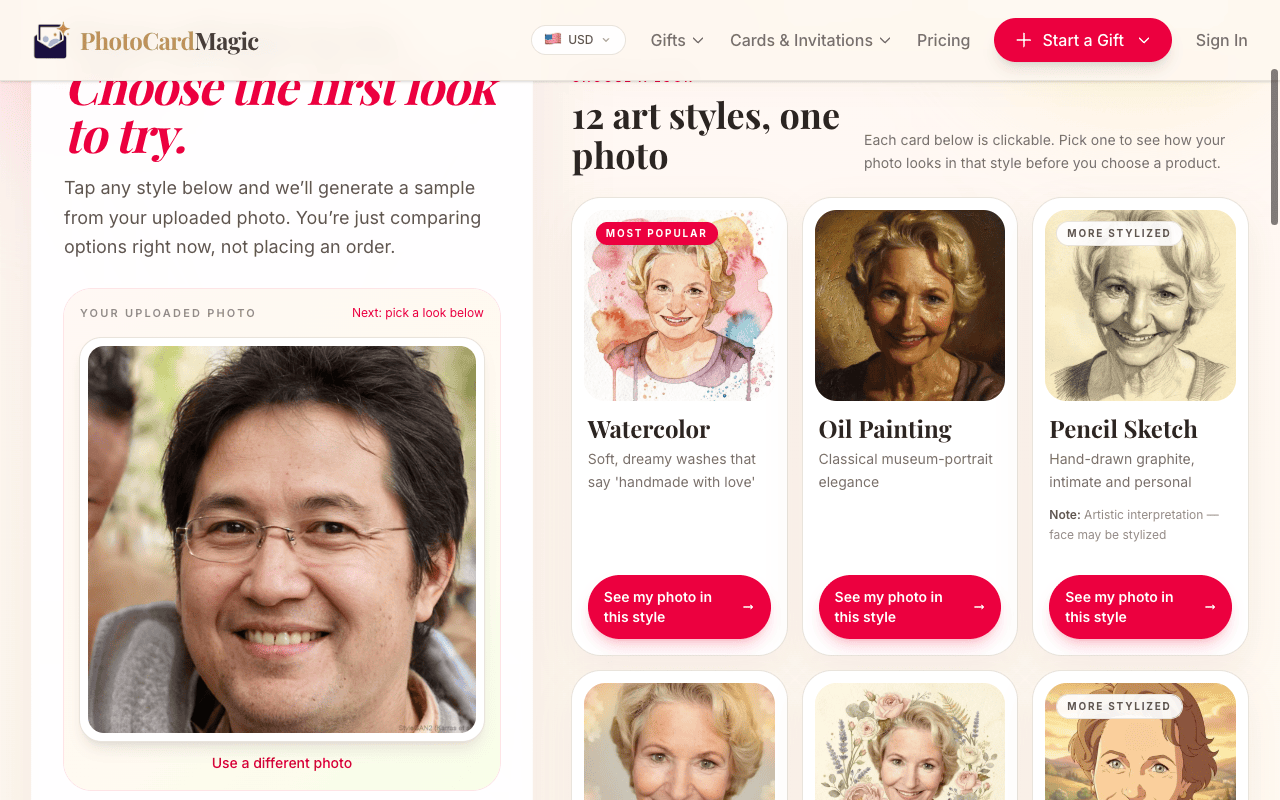
Tap Watercolor
Pick Watercolor from the style grid. The preview card describes the florals: peonies, garden roses, eucalyptus, lavender, and delicate ferns in a soft, romantic palette.
-
3
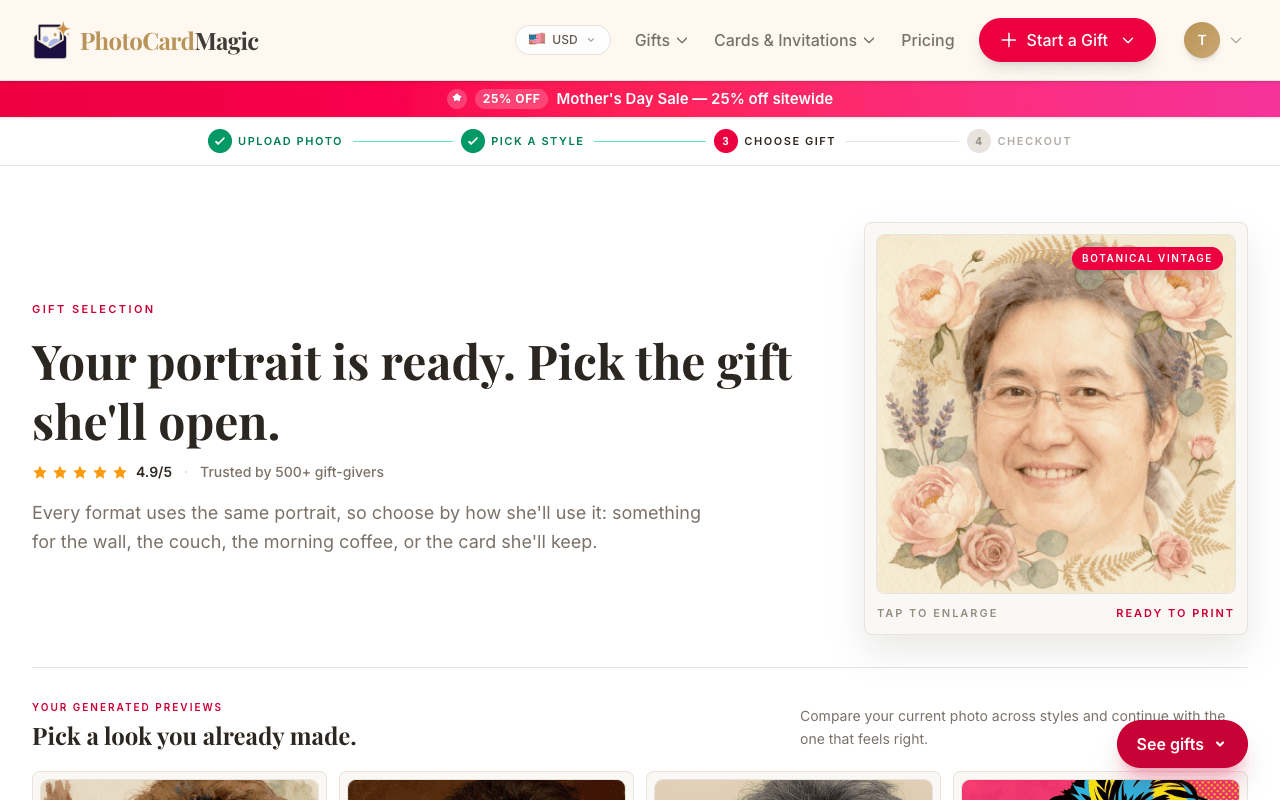
Generate and inspect the preview
Tap Generate preview. The style renders the subject in soft watercolor and surround them with a lush botanical frame. Check that the florals frame rather than cover the face — if they crowd the portrait, regenerate or upload a slightly wider shot.
-
4
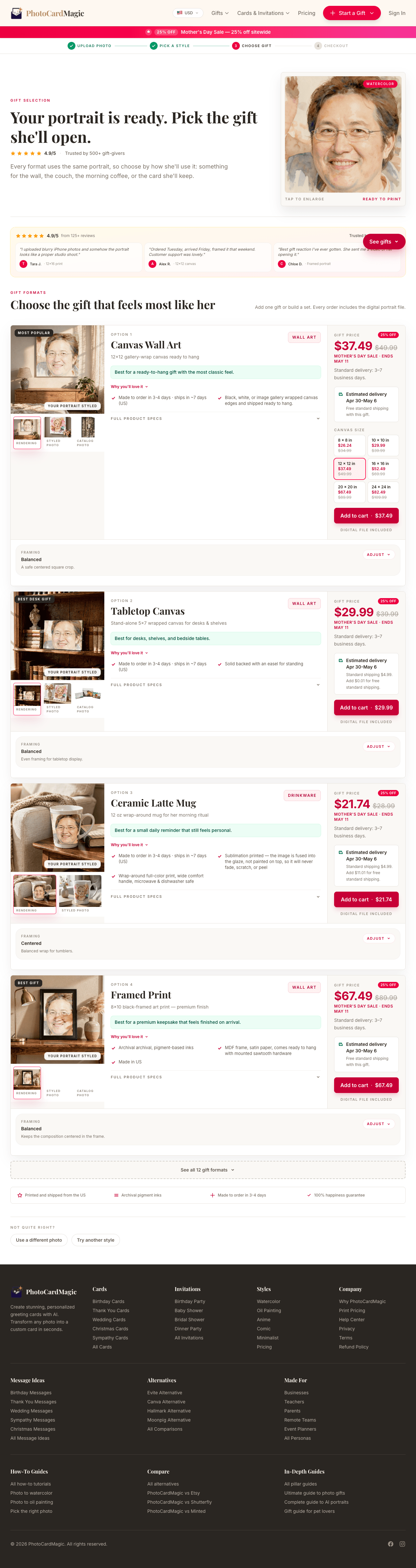
Pick a card or framed print
Watercolor offers a soft look for a Mother's Day portrait. Choose a card or framed print after reviewing the preview and current product options.
-
5
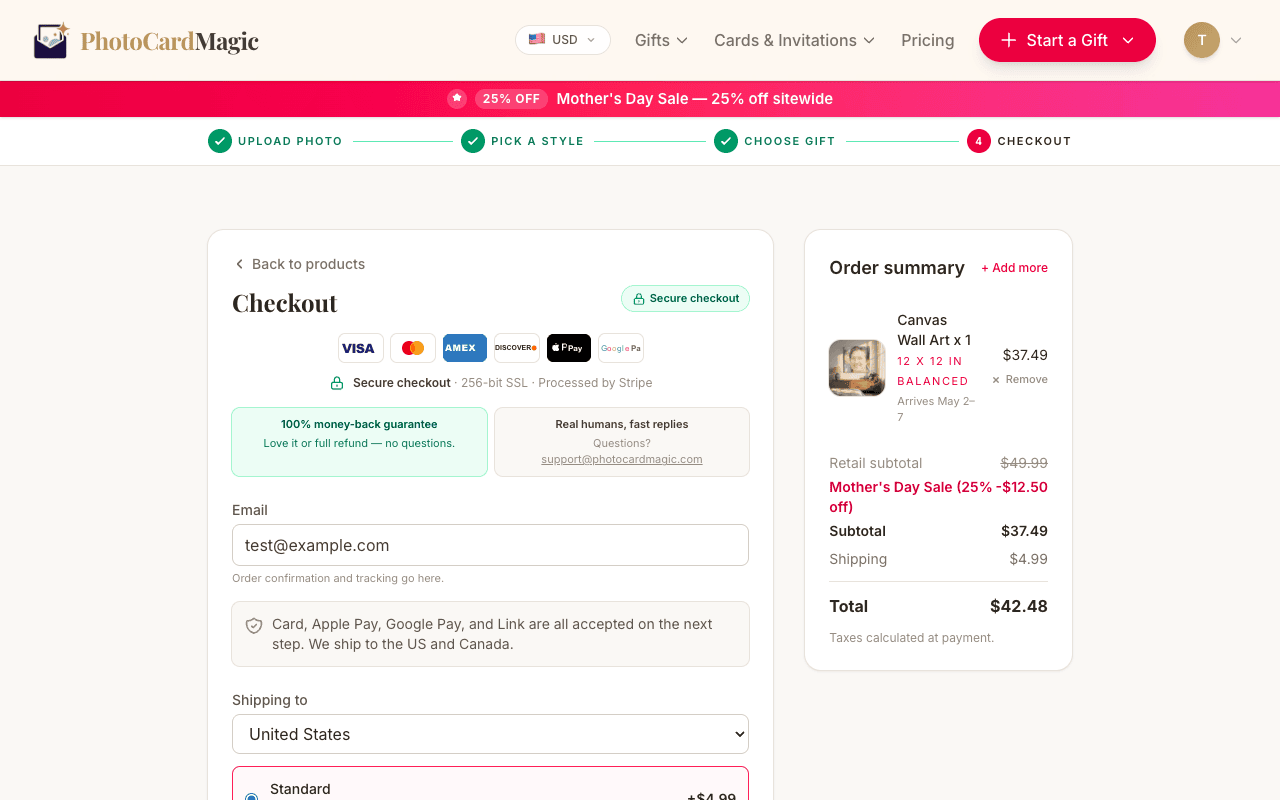
Order and receive
Choose a printed format and check the current delivery estimate and available shipping options at checkout, especially near a holiday.
⚠ Common mistakes
- • Cropping so tight that there's no room for florals
- • Picking a photo with an already-busy background
- • Ordering at the last minute with Standard shipping
- • Skipping previews and assuming it will just work
Frequently asked questions
Is this style good for Mother's Day?
Can I print it on a canvas?
Do the flowers change each time?
Explore the styles
Start your portrait
Preview free, then choose a print. See delivery options at checkout.
Preview a style freeLast updated: 2026-09-22